
Trigger
The trigger is the entry point of a workflow, determining when the workflow starts. Each workflow has exactly one trigger node, located at the beginning of the canvas.
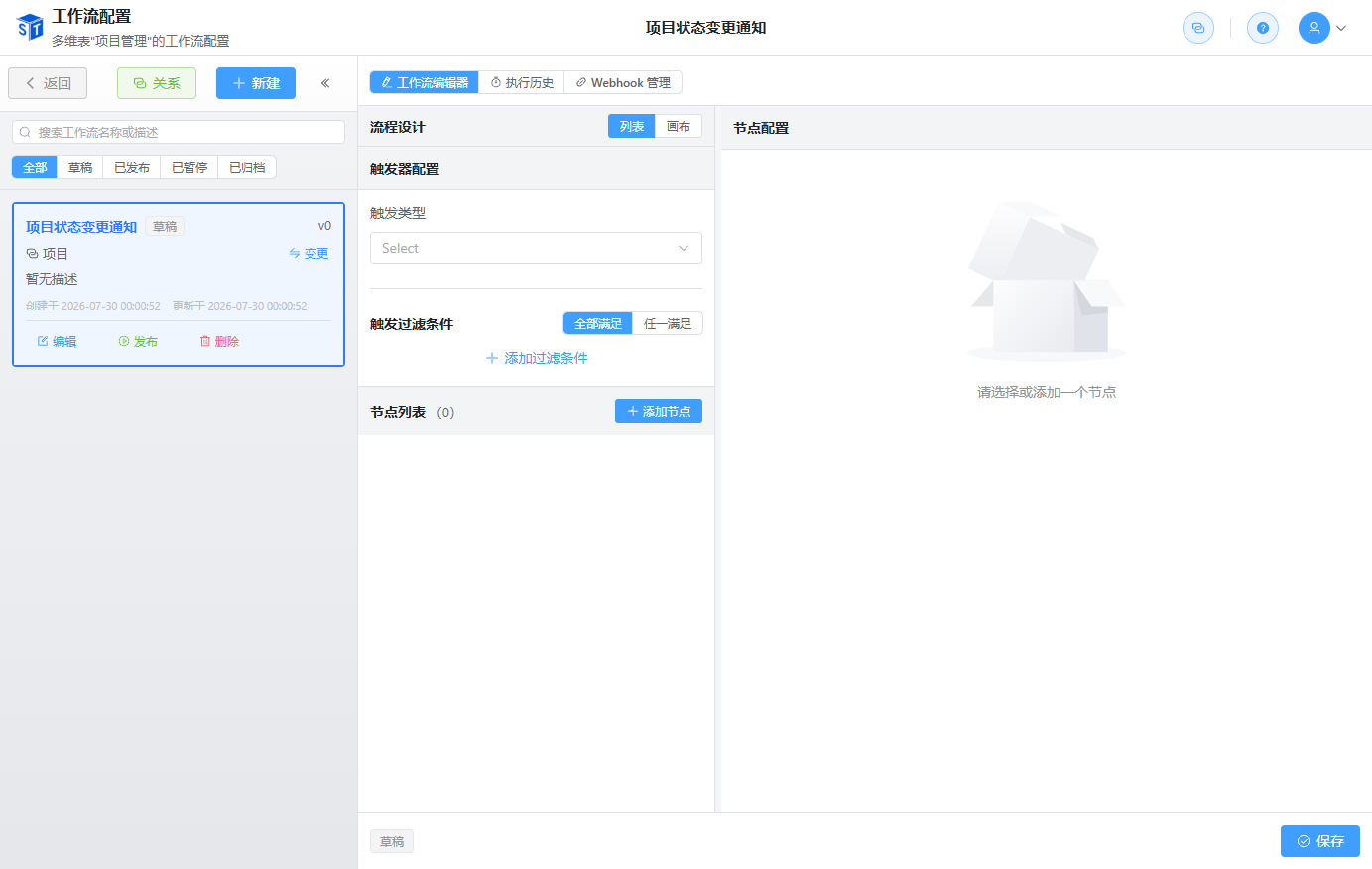
Trigger Types

SmartTable supports the following trigger types:
| Trigger Type | Description |
|---|---|
| Record Created | Triggered when a new record is created |
| Record Updated | Triggered when a record is updated; can listen to specified fields |
| Specified Time | Triggered according to a set schedule; supports repetition |
| Record Time Reached | Triggered when a date/datetime field value in a record is reached |
Record Created Trigger
The workflow starts automatically when a new record is created in the associated table.
Configuration
- Trigger Table: Select the table to listen to.
- Filter Conditions: Only trigger when conditions are met; global trigger if not configured.
- Condition Combination: Supports AND (all conditions met) or OR (any condition met).
Use Cases
- Automatically send a notification after a new order is created
- Automatically assign an owner after a new task is created
- Automatically send a welcome email after a new customer is added
Record Updated Trigger
Triggered when an existing record in the associated table is updated.
Configuration
- Monitored Fields: Select fields to listen to. If none are selected, any field update will trigger.
- Filter Conditions: Only trigger when conditions are met; global trigger if not configured.
Use Cases
- Notify the project manager when a task status becomes "Completed"
- Log changes when an order amount is modified
- Trigger an expedited process when priority is raised
Specified Time Trigger
Triggers the workflow according to a scheduled time plan, independent of record changes.
Configuration
- Start Date: The date of the first trigger.
- Start Time: The time of the first trigger.
- Repeat Type:
- No repeat: Trigger only once
- Daily: Trigger at the same time every day
- Weekly: Trigger on specified days each week
- Monthly: Trigger on a specified date each month
- Yearly: Trigger on a specified date each year
- Weekdays: Trigger Monday through Friday
- Custom: Trigger at custom intervals (e.g., every 3 days, every 2 weeks)
- End Date: After this date, the trigger will no longer repeat.
- Timezone: Trigger times are interpreted in the local timezone.
Use Cases
- Generate data reports daily
- Send weekly report reminders
- Automatically create monthly tasks at the beginning of each month
Record Time Reached
Triggered when the value of a date/datetime field in a record is reached.
Configuration
- Time Field: Select a date or datetime field in the record.
- Filter Conditions: Only trigger when conditions are met.
Use Cases
- Remind one day before a task is due
- Notify 7 days before a contract expires
- Remind 30 minutes before a meeting starts
Filter Conditions
Except for the Specified Time trigger, all other triggers support filter conditions:
- Select field and operator (equals, not equals, contains, is empty, etc.).
- Support multiple condition combinations.
- Support AND / OR logic.
Performance Suggestion
Try to use indexed fields (such as primary keys, single select, dates) as filter conditions, and avoid using full-text matching fields on large tables.
Trigger Record Variables
After triggering, the current trigger record information is injected into the workflow context, and subsequent nodes can reference it through variables:
{{trigger.record.<field_id>}}