
English
English
Appearance
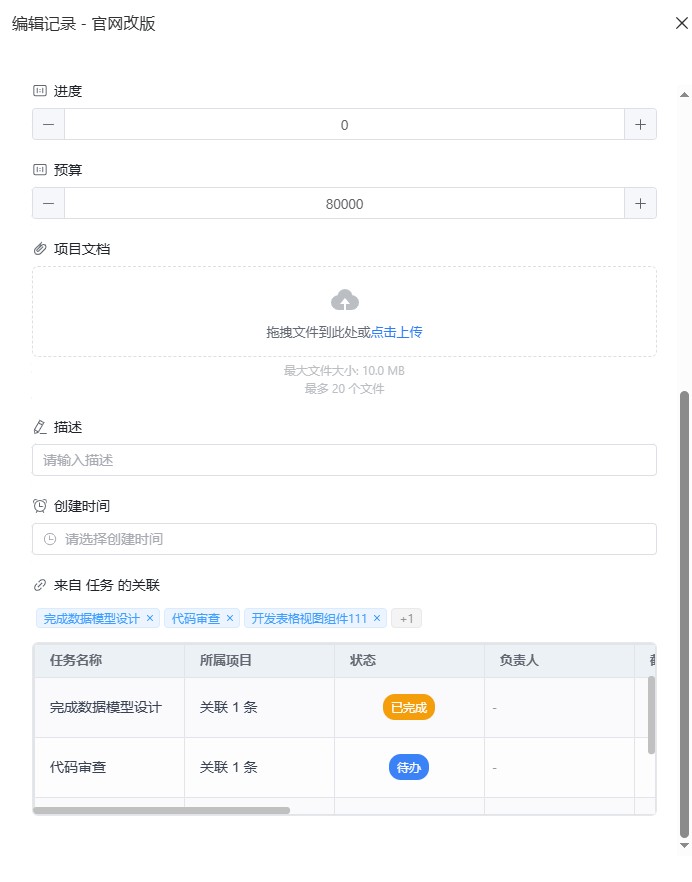
The master-detail feature lets you expand any row in a master table to view and manage the linked sub-table data directly, without switching to the target table page. It is automatically enabled based on link fields (LINK fields) and supports one-to-one, one-to-many, many-to-one, and many-to-many relationship types.
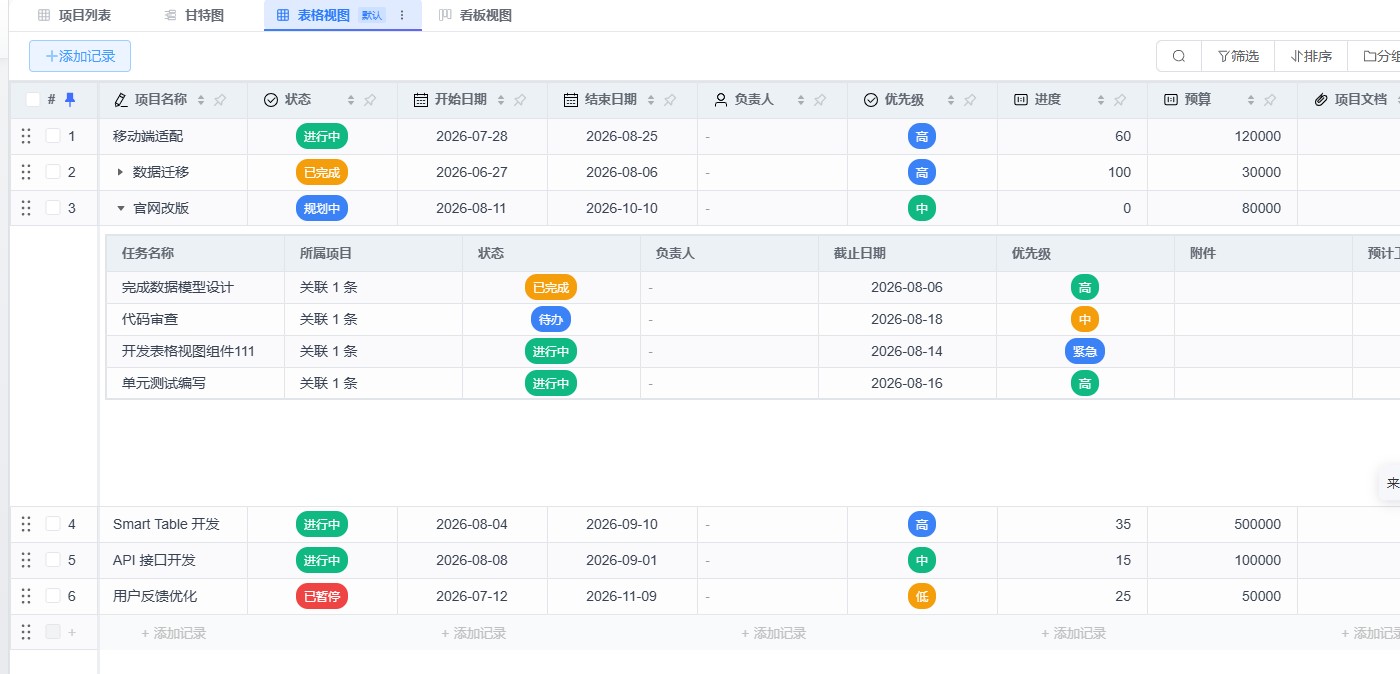
In the master table, an expand/collapse icon appears on the left of each row (it appears automatically when the table has link fields). Click the icon to expand the current row and display the linked sub-table data.
Once expanded, the sub-table shows all records linked to that row, with a column structure matching the fields of the target table. The sub-table supports:
When the table has multiple link fields, a field switcher dropdown appears in the sub-table toolbar. Select a different link field to view the linked records for that field.
Click the "Add Link" button in the sub-table toolbar to open the linked record selector:
Relationship Type Restriction
The one-to-one relationship type supports linking only one record. When a record already exists, the "Add Link" button is automatically disabled.
In the sub-table, you can remove a record link in the following ways:
Removing a link only breaks the relationship between records; it does not delete the record itself.
Click the "Refresh" button in the sub-table toolbar to reload the sub-table data for the current link field.
The expand/collapse icon is located at the far left of each row (before the row number column) and is independent of the checkbox column.
| Style Item | Value |
|---|---|
| Sub-table row height | 32px |
| Sub-table header row height | 36px |
| Sub-table container padding | 8px |
| Sub-table fixed height | 240px (displays approximately 6-7 rows) |
| Sub-table theme | Consistent with the master table |
| Operation | Master Table Update | Sub-Table Update |
|---|---|---|
| Add a linked record | LINK field shows "N linked" | A new row is added |
| Remove a link | LINK field count decreases by 1 | The row is removed |
| Edit a sub-table record value | Not affected | Cell display is updated |
| Modify the LINK field in the master table | — | Automatically refreshed (if expanded) |
When a link field is configured as bidirectional, removing the link to a record in table B from the sub-table of master table A also automatically removes the reverse link from that record in table B back to table A.